Live and Scenario are different kinds of truth
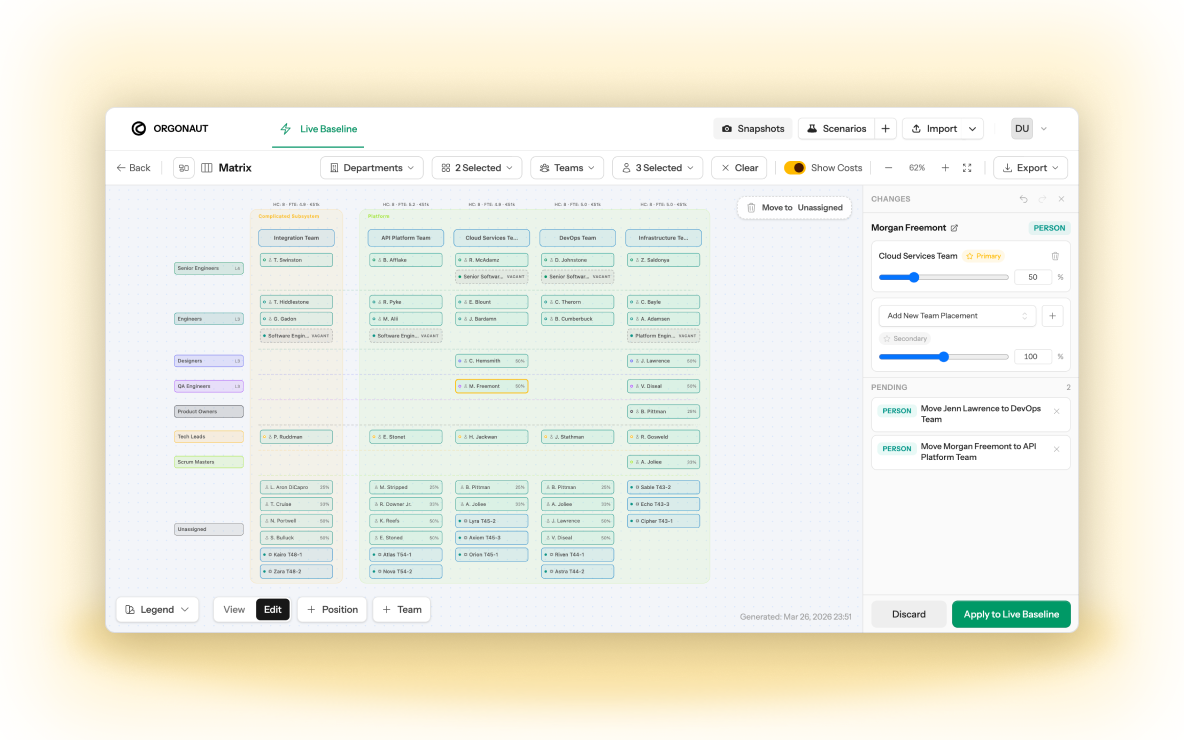
A planning model becomes easier to trust when the current organisation and the proposed organisation cannot be confused. Orgonaut calls the accepted operating state Live. A user can clone Live into a Scenario, make structural changes, update placements, add or remove positions, model people and agents, and examine the proposal without changing the baseline.
That separation is especially useful when several options are in motion. A cost reduction scenario, a growth scenario, and an AI-enabled operating model can coexist without overwriting each other or forcing the team to label spreadsheet tabs carefully. Each scenario carries its own context. Leadership can compare the delta and choose which proposal, if any, deserves promotion.
Cost, FTE, and capacity belong beside the chart
An organisation chart can make a proposal understandable, but a planning decision also needs operational measures. Orgonaut rolls contributor cost, allocation, FTE, role coverage, team composition, and capacity through the structure. A scenario delta lets reviewers see the financial and operating consequence of a move while the proposed structure is still editable.
Positions and placements are separate concepts. A position describes the budgeted seat and role that should exist. A placement describes the person or actor occupying it, with allocation and effective dates. That distinction supports vacancy planning, fractional allocation, planned hires, and the practical gap between the intended organisation and the people currently doing the work.
The same model is available to engineers and agents
Orgonaut exposes tenant-scoped data through a REST API and offers a CLI for reporting, command discovery, and scenario-safe workflows. Remote MCP gives approved AI clients a structured route into the organisational model. OrgSpec provides a portable YAML representation for organisational data that can be reviewed, diffed, validated, and moved between tools.
Those surfaces matter when organisation design is becoming part of technical operating work. A VP Engineering may inspect a matrix in the application, ask an assistant for a summary, use the CLI in a planning workflow, and still require a human to review promotion into Live. The product keeps the same scope and governance model across those ways of working.
From the chart to the case for change
A future-state chart shows who reports where. It does not always show which work moves, which outcome improves, or why the proposal is worth approving. Orgonaut includes a Work catalog on every plan, so activities can be mapped to role types and teams and redesigned inside a scenario alongside the structure.
On Enterprise and Agency, business capabilities, governed AI Solutions, and Transformation Cases connect that work to the decision. A Transformation Case binds Live to the target scenario, carries the evidence, controls, and separated value lanes, and checks readiness before a human approves the recommendation. The result is a reviewable case, not just a new chart.
Functionly remains a strong option for visual collaboration
Functionly has invested deeply in interactive org charts, accountability mapping, custom layouts, role templates, comments, sharing, and facilitated organisation design. Its public material makes the collaboration and workshop experience central. That can be exactly what a transformation lead needs when the outcome of the session is alignment around a future chart and clearer responsibilities.
Orgonaut has visual charts and matrix editing, but its differentiator is the operating boundary around the scenario, the measurable delta, the lineage after promotion, and the ability to include agents and technical interfaces. The best choice follows the work you need to do repeatedly after the workshop ends.